Teacher tool
Reminders
Never forget when a student needs to go.
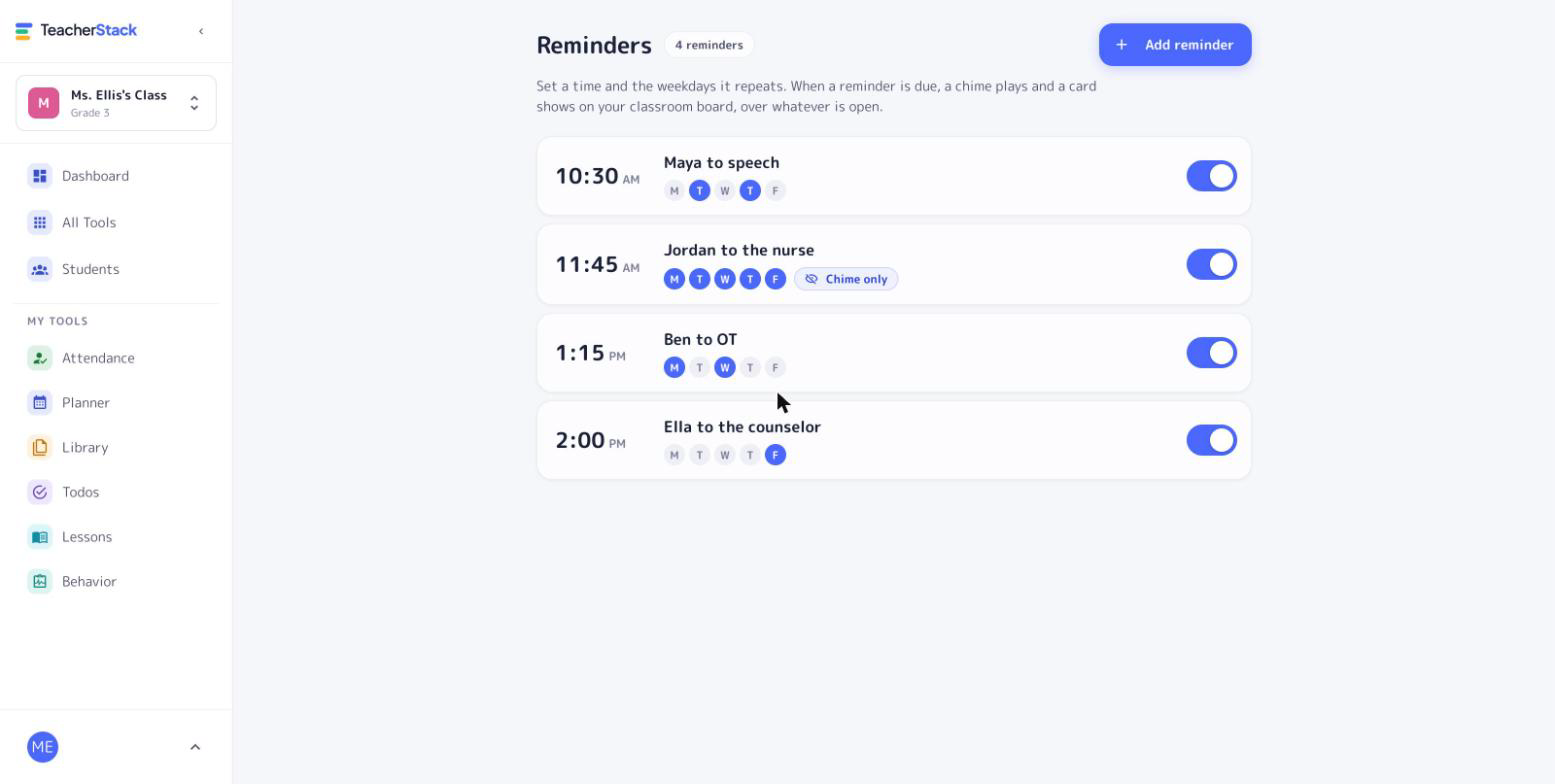
Jordan has the nurse at 11:45. Maya has speech on Tuesdays and Thursdays. Set it once, and a chime and a card appear over whatever is open on your board when it’s time, so you can stay in the lesson instead of watching the clock.
Free with every TeacherStack account
How it works
Set it once, hear it when it matters
The appointments that pull students out of your room, handled for you.
1
Add what you need to remember
“Jordan to the nurse”, “Maya to speech”, “Send Ben to OT”.
2
Set the time and days
Repeat on any weekdays for regular services, or pick a single date for a one-time visit.
3
Keep teaching
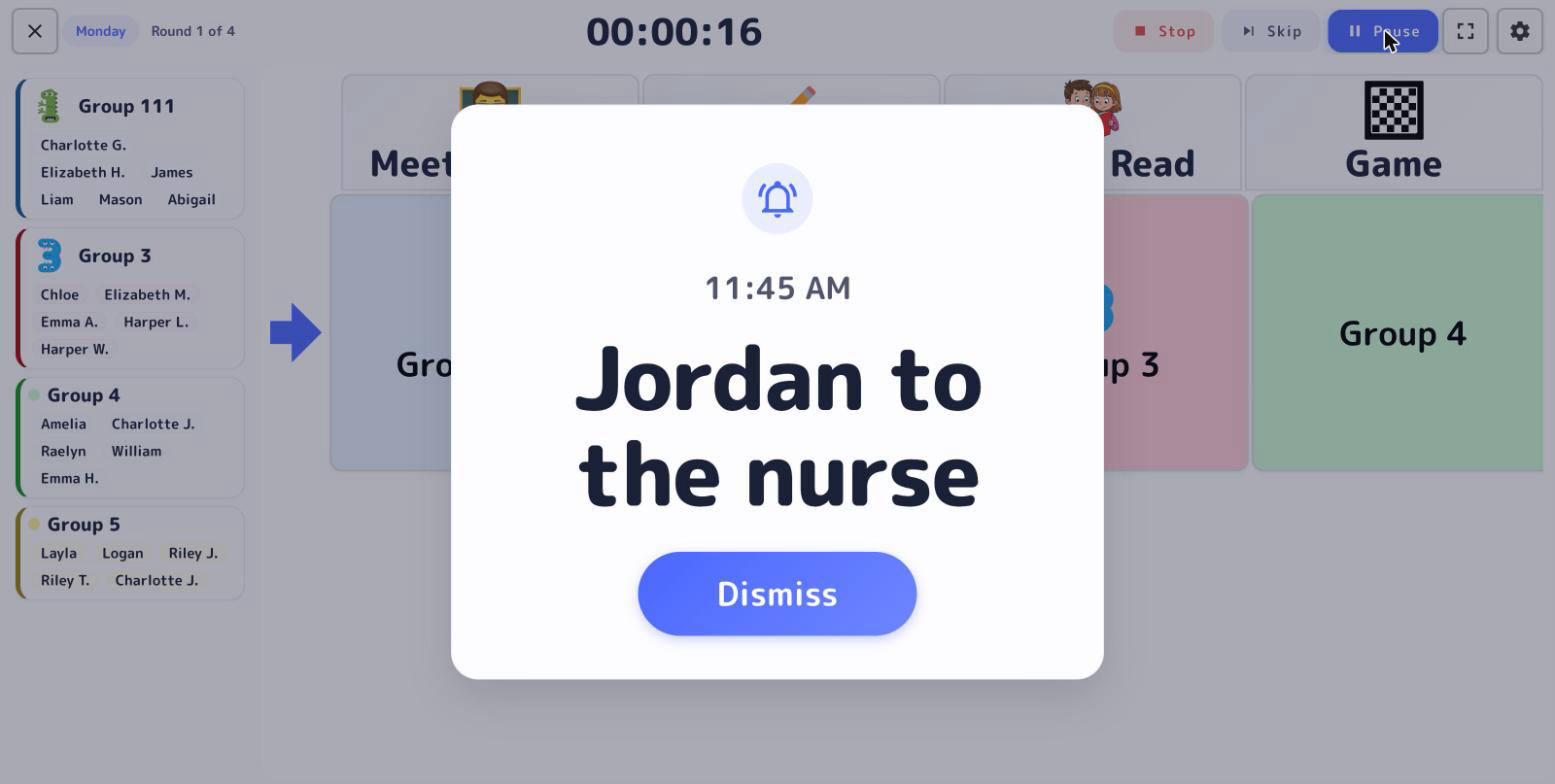
When it’s time, a chime plays and a card appears over your lesson, timer, or game.
Made for a busy classroom
Easy to notice, and private when it has to be.
Built for pull-outs
Speech, OT, counseling, medicine at the nurse: the visits that are easy to lose track of mid-lesson.
Private when you need it
Switch a reminder to chime-only and the board shows a generic “Reminder”, so a name like “Jordan’s medicine” never lands on the projector.
Shows over any page
The alert appears on top of whatever is open on your board.
When it’s time
Your cue, right on the board
When it’s time, a chime plays and a card with the reminder appears over whatever is open on your board.
Built for the classroom board
Reminders live on the board you already teach from.
Get Reminders and the whole stack
One free account includes every TeacherStack tool.
Sign up — it's free