Display tool
Lunch Choice
Morning lunch counts without the hand-raising.
Show the day's menu on the board each morning and let students tap their choice. See totals at a glance and send an accurate count to the office.
Free with every TeacherStack account
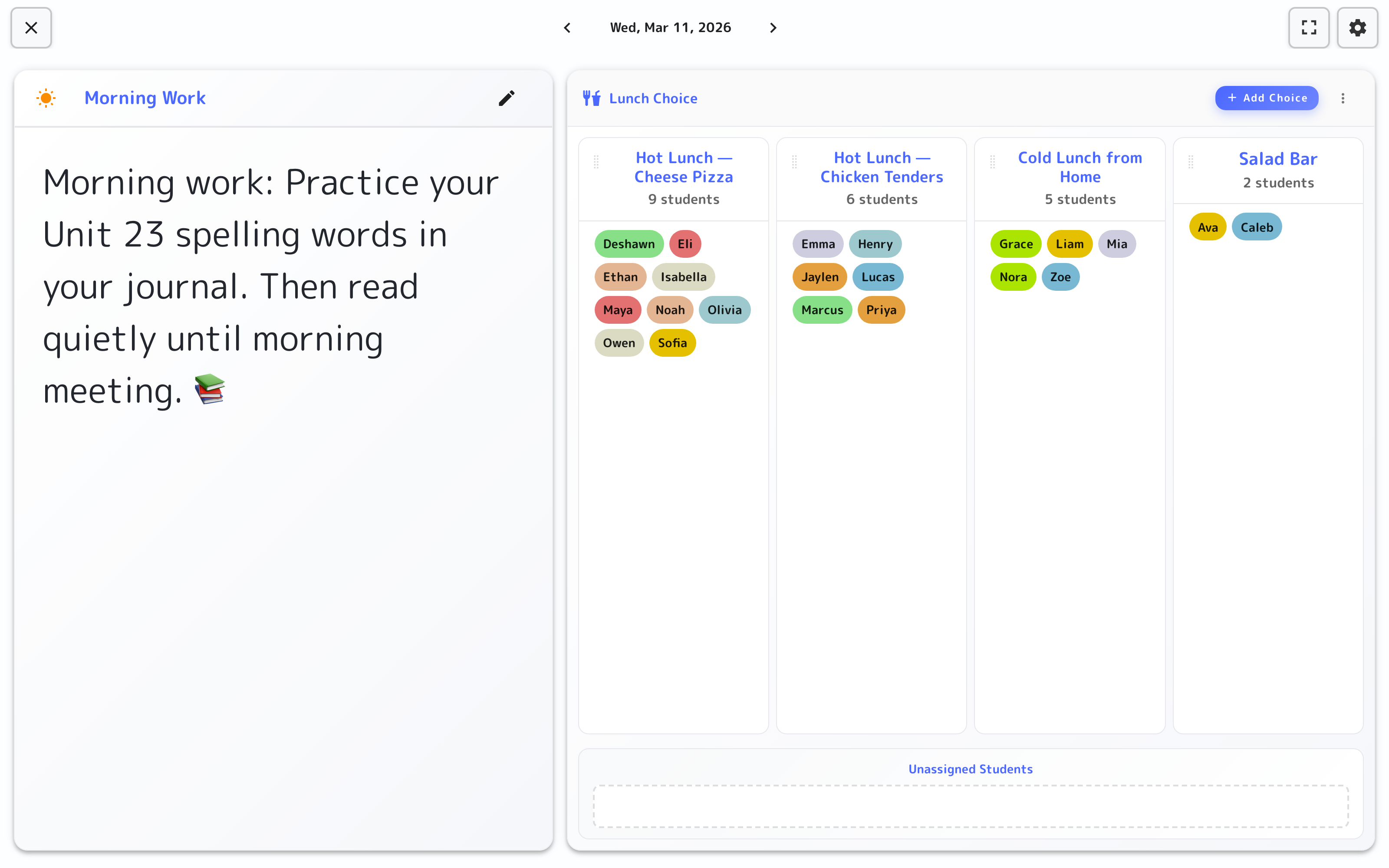
On the classroom display
How it works
Lunch Choice in three steps
Here’s the whole flow, start to finish.
1
Set the menu
Add the day’s options to the calendar-based menu.
2
Students choose
Each student taps their pick as part of the morning routine.
3
See the totals
Counts add up live, ready to hand off to the cafeteria.
The count, done by the class
Getting the lunch count to the office takes about thirty seconds.
Set the day's choices
Add whatever's on offer — hot lunch options, cold lunch, salad bar — as choices students can pick.
Part of the morning routine
Students tap their pick as they settle in — no hands raised, no calling down the list, and even the youngest manage it alone.
Live totals
Every choice shows its headcount, so the number for the office is ready the moment the last student picks.
A menu for every day
Flip between dates to set tomorrow’s choices ahead of time, or look back at who chose what.
On the board
The lunch count, done during morning arrival
Put the day’s choices on the display and let students sort themselves — the office gets an accurate count without you counting.
On the classroom display
- 1A column per choiceSet the day’s options — hot lunch, cold lunch, salad bar — and each becomes a column students land in.
- 2Students pick their spotEach student drops their name onto today’s choice; unassigned names wait at the bottom until everyone’s in.
- 3The count adds itself upEvery column shows a live headcount, ready to hand to the cafeteria without a show of hands.
Lives on the whiteboard
The day's menu goes up with the morning routine and students tap their pick on the display — the count adds itself up for the office as they go.
Get Lunch Choice and the whole stack
One free account includes every TeacherStack tool.
Sign up — it's free