Display tool
Checklists
Step-by-step routines, right on screen.
Display procedural checklists so the whole class can follow along — morning routines, lab steps, or end-of-day clean-up. Check items off together.
Free with every TeacherStack account
On the classroom display
How it works
Checklists in three steps
Here’s the whole flow, start to finish.
1
Write the steps
List out a routine once — arrival, centers, dismissal, anything.
2
Display on the board
Put the checklist up big so every student can follow along.
3
Check off together
Tick items off as the class completes them — students learn to check the list before asking you.
Routines that run themselves
Each one nudges students to answer "what's next?" on their own.
A list for each routine
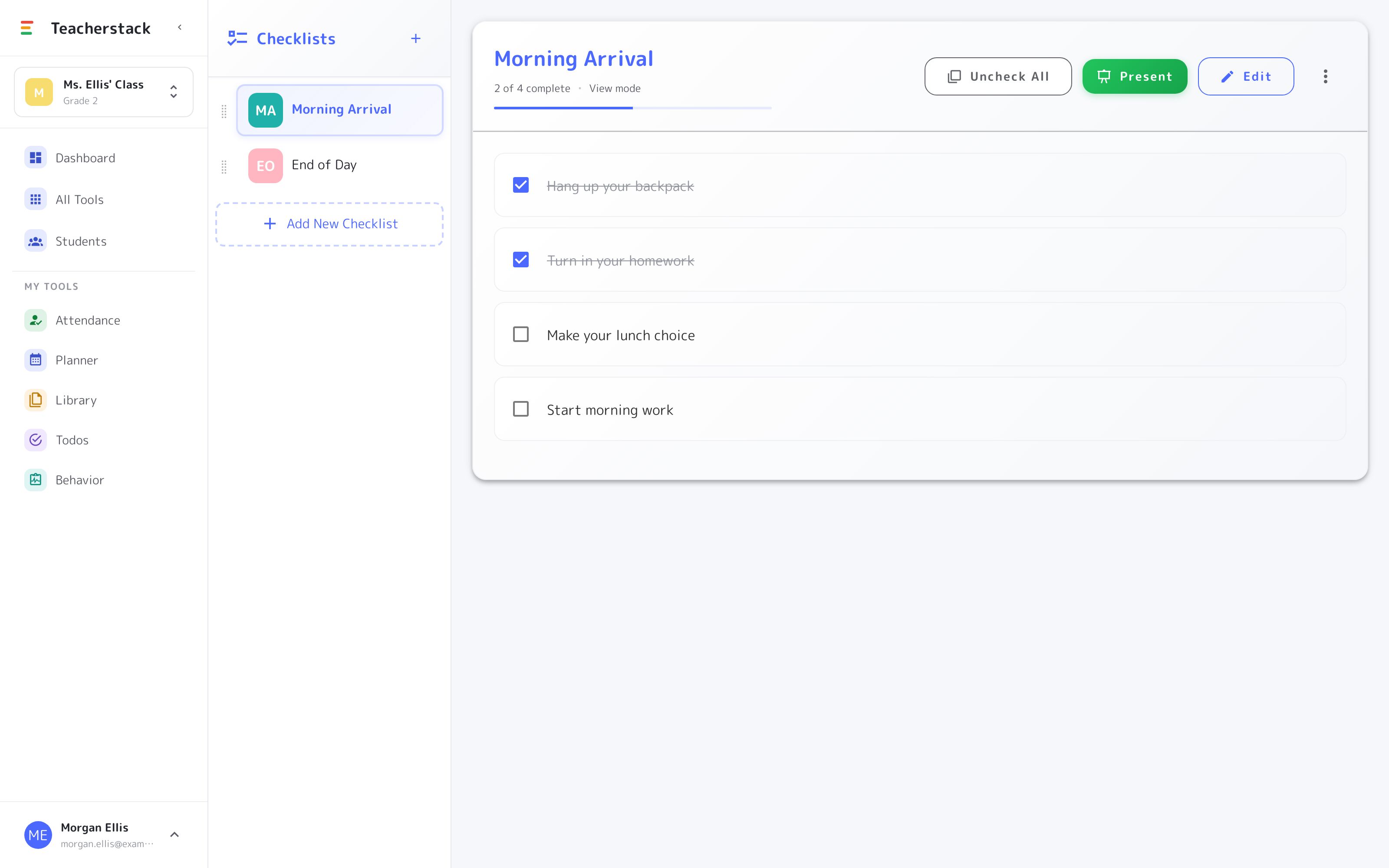
Keep separate checklists — “Morning Arrival,” “End of Day” — and switch between them in a tap.
Present to the board
One Present button sends the list full-screen, sized so the last row can read every step.
Check off as you go
Completed steps cross out, and a “2 of 4” counter shows how far the class has gotten.
Reset and reuse
Uncheck All clears every item for tomorrow, and the list stays saved to your account — a routine you write in August still works in May.
A checklist in action
Everyone knows what’s next
Put a routine on the board and the class works through it together — you just tick the boxes.
- 1Put it on the boardHit Present and the routine goes up full-screen, big and readable from the back row.
- 2Check off togetherTick each step as the class finishes it — done items cross out and a counter tracks the progress.
- 3Reset for tomorrowUncheck All clears the list in one tap — same routine, fresh every day.
Lives on the whiteboard
The routine stays up on the display for the whole activity, so students answer "what's next?" by looking at the board instead of asking you.
Get Checklists and the whole stack
One free account includes every TeacherStack tool.
Sign up — it's free