Display tool
Poll
Class polls, answered right on the board.
Ask a question, show the choices on the board, and watch the bars fill in as the class votes. Perfect for warm-ups, comprehension checks, or letting the class decide.
Free with every TeacherStack account
On the classroom display
How it works
Poll in three steps
Here’s the whole flow, start to finish.
1
Write your question
Type a prompt and add as many choices as you need.
2
Open voting
Students tap their choice right on the board while the question stays up.
3
Watch the results come in
Bars fill in live with each vote, so the whole class sees where everyone lands as it happens.
Made for a live classroom vote
Fast to run, and readable from the back row.
Easy to read from anywhere
Each option shows a bar, its count, and percentage, so the result is clear from the back row.
See who's left
A “still to vote” list keeps the last few names visible, so no one quietly gets skipped.
No devices to hand out
Students vote by tapping the board — no phones, apps, or logins.
Anatomy of a poll
What the class sees
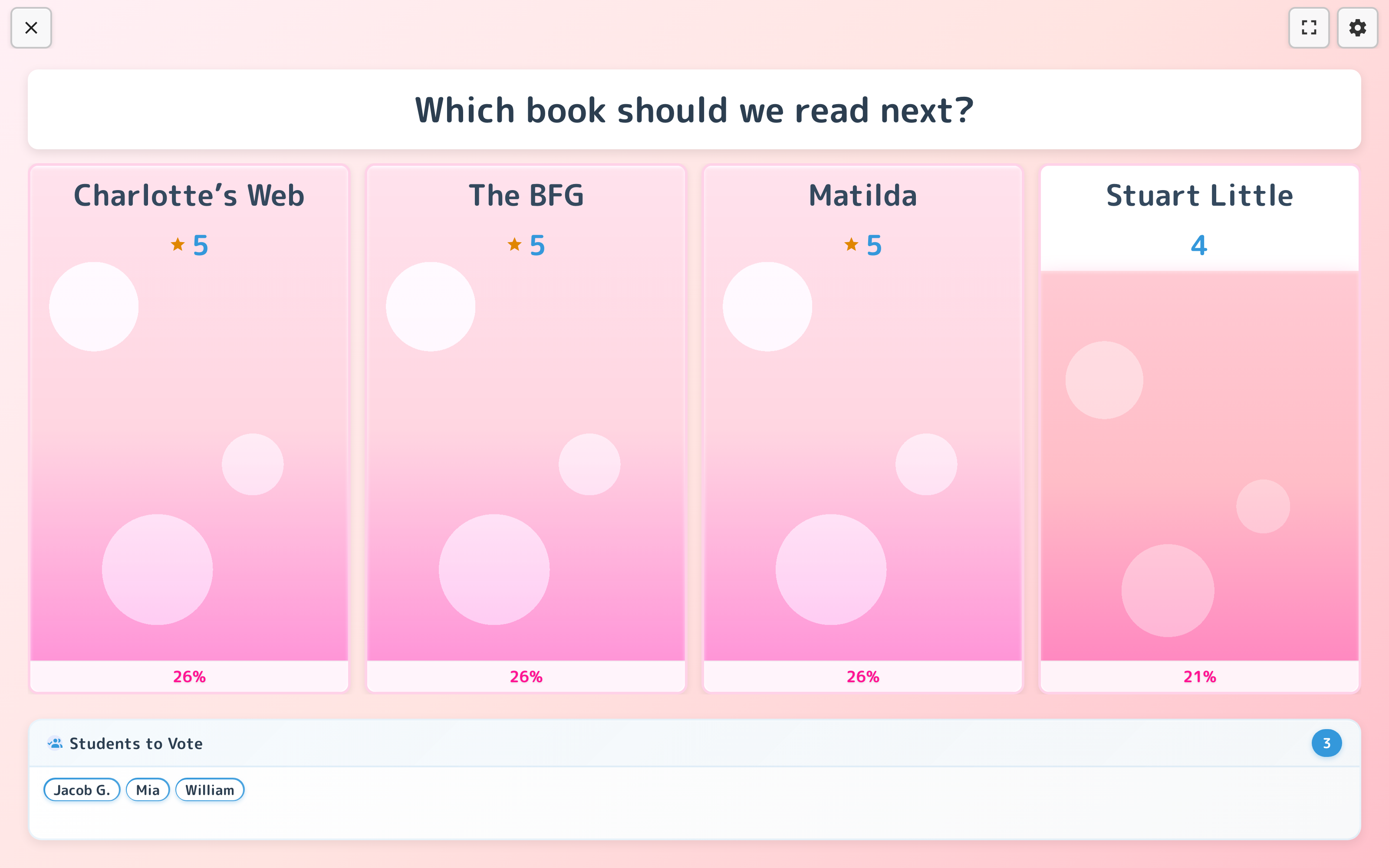
One question on the board, results filling in live — here's every part of a poll in action.
- 1The question stays upYour prompt stays on screen the whole time, so students always know what they’re voting on while results fill in.
- 2Bars fill as votes landEach option grows in real time with its tally and percentage — the whole room watches the results take shape.
- 3Nobody gets skippedA “still to vote” list keeps the remaining names up until everyone has weighed in.
Lives on the whiteboard
The question and live results sit on the board while students tap in their votes — the whole class watches the bars fill in together.