Display tool
Flashcards
Study decks for vocab, facts, and drills.
Build decks by subject and unit, then flip, shuffle, and review together on the board. Perfect for sight words, math facts, and quick recall.
Free with every TeacherStack account
On the classroom display
How it works
Flashcards in three steps
Here’s the whole flow, start to finish.
1
Build a deck
Add cards organized by subject and unit — or reuse one you made before.
2
Flip & shuffle
Reveal answers and shuffle the order so students can’t just memorize the sequence.
3
Review as a class
Run the deck full-screen so the whole room studies together.
Easy to build, easier to find again
Once you have twenty decks, finding the right one fast is what counts.
A deck for everything
Keep separate decks for sight words, math facts, or vocab — each with its own set of cards.
Tag and find fast
Label decks “Practice,” “Homework,” or your own tags, then search or filter straight to the one you need.
Run it from the front
Send any deck full-screen to the board, then flip and shuffle without leaving the front of the room.
Reuse and share
Every deck saves to your Library automatically — share one with your team so the whole grade level can use it.
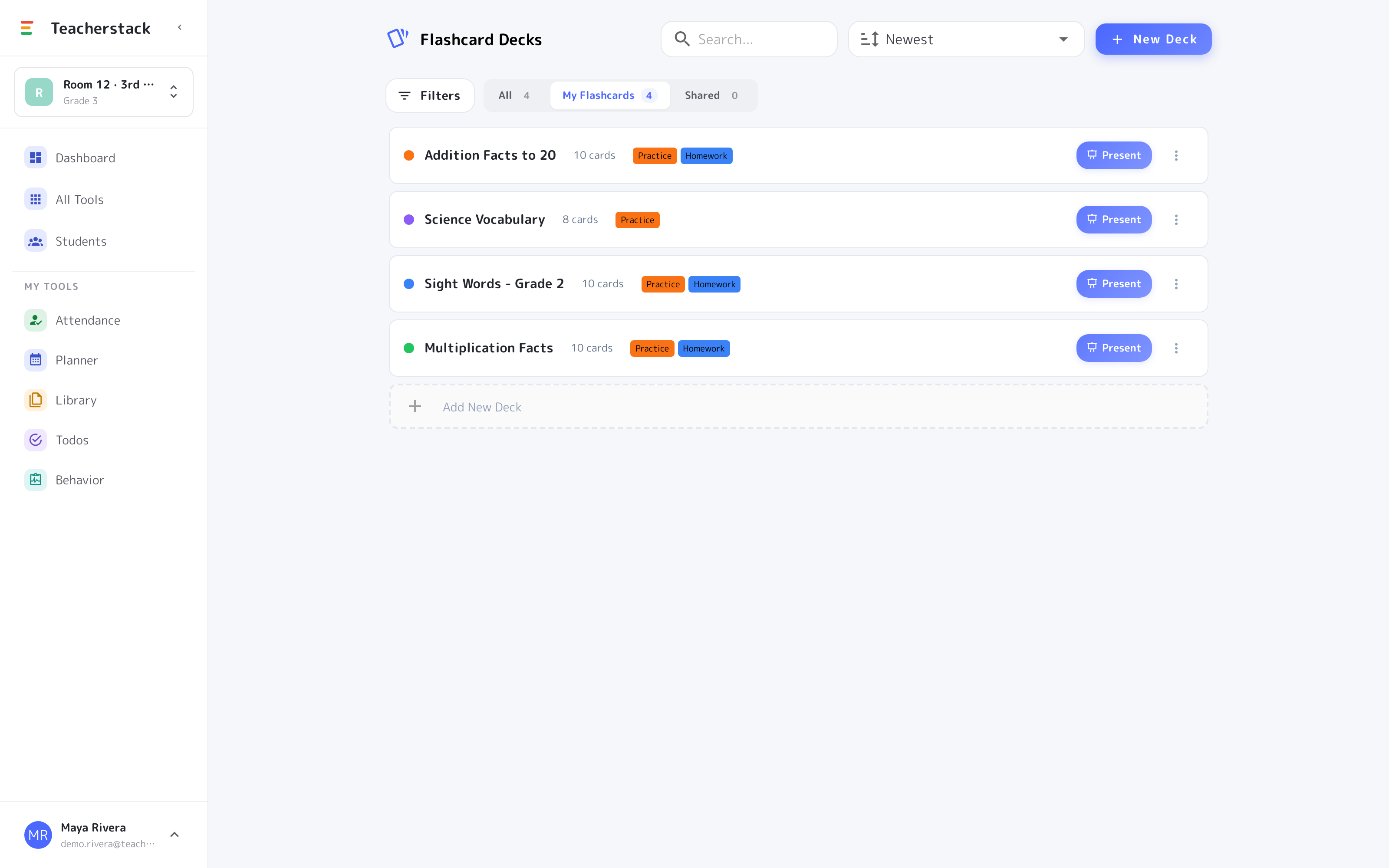
The deck library
All your decks, in one place
Every set of cards you build lives here — organized, taggable, and one tap away from the board.
- 1One deck per topicSight words, math facts, vocab — each subject gets its own deck with its own set of cards.
- 2Tag it, then find itFilter by “Practice,” “Homework,” or your own tags, and search pulls up the right deck.
- 3Present when you’re readyHit Present and the deck goes full-screen on the board for the whole class to review together.
Lives on the whiteboard
Run a deck full-screen so the class reviews as one — you flip and shuffle from the front while every student follows along from their seat.
Get Flashcards and the whole stack
One free account includes every TeacherStack tool.
Sign up — it's free